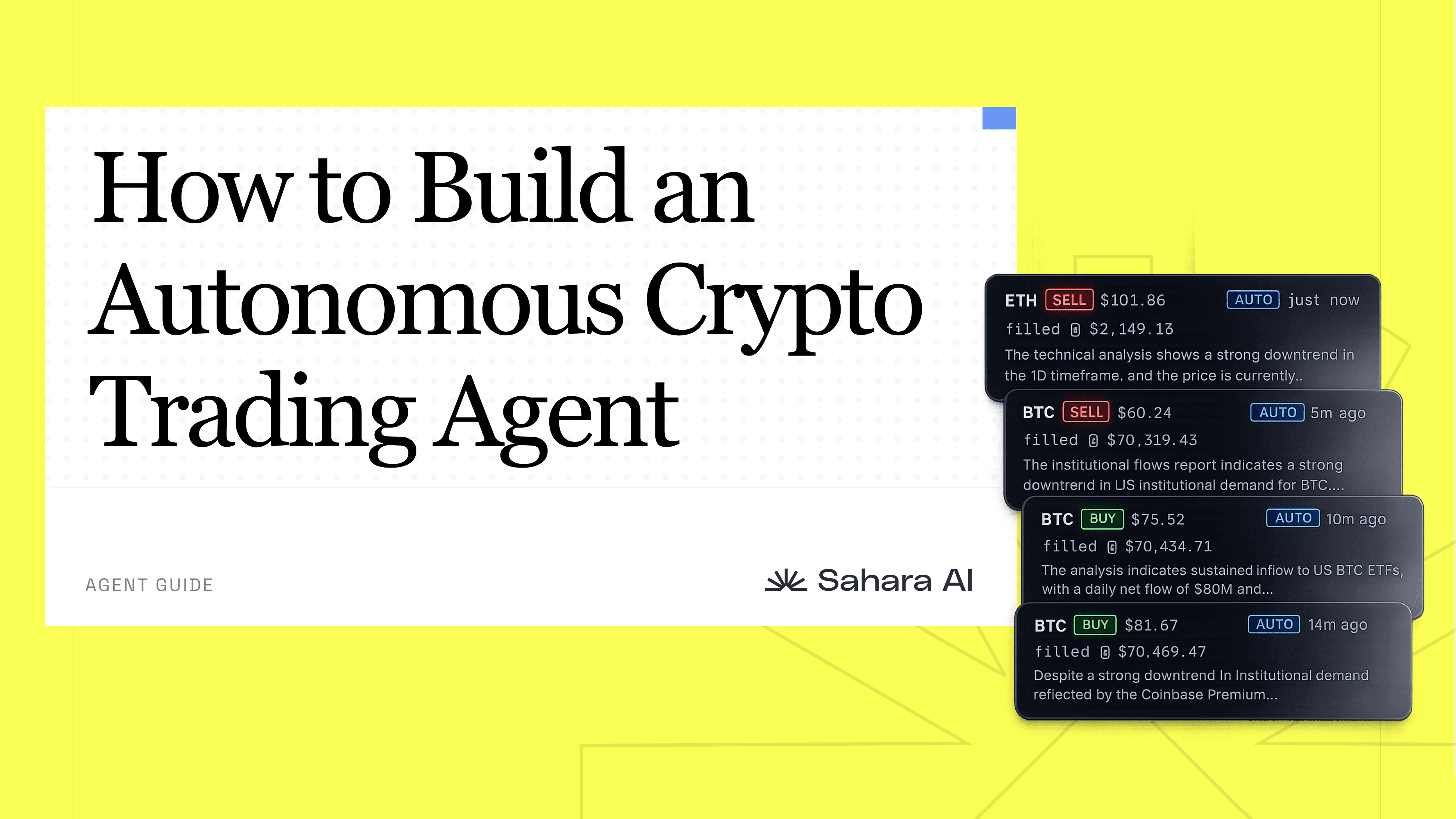
How to Build an Autonomous Crypto Trading Agent

Creating your own personalized trading agent used to be reserved for people who had both the development skills to build one and the quant skills to program a strategy into it. Or the money to pay someone who did. For everyone else, the only real option was copy-trading someone else's strategy with a completely different risk profile and investment thesis than your own.

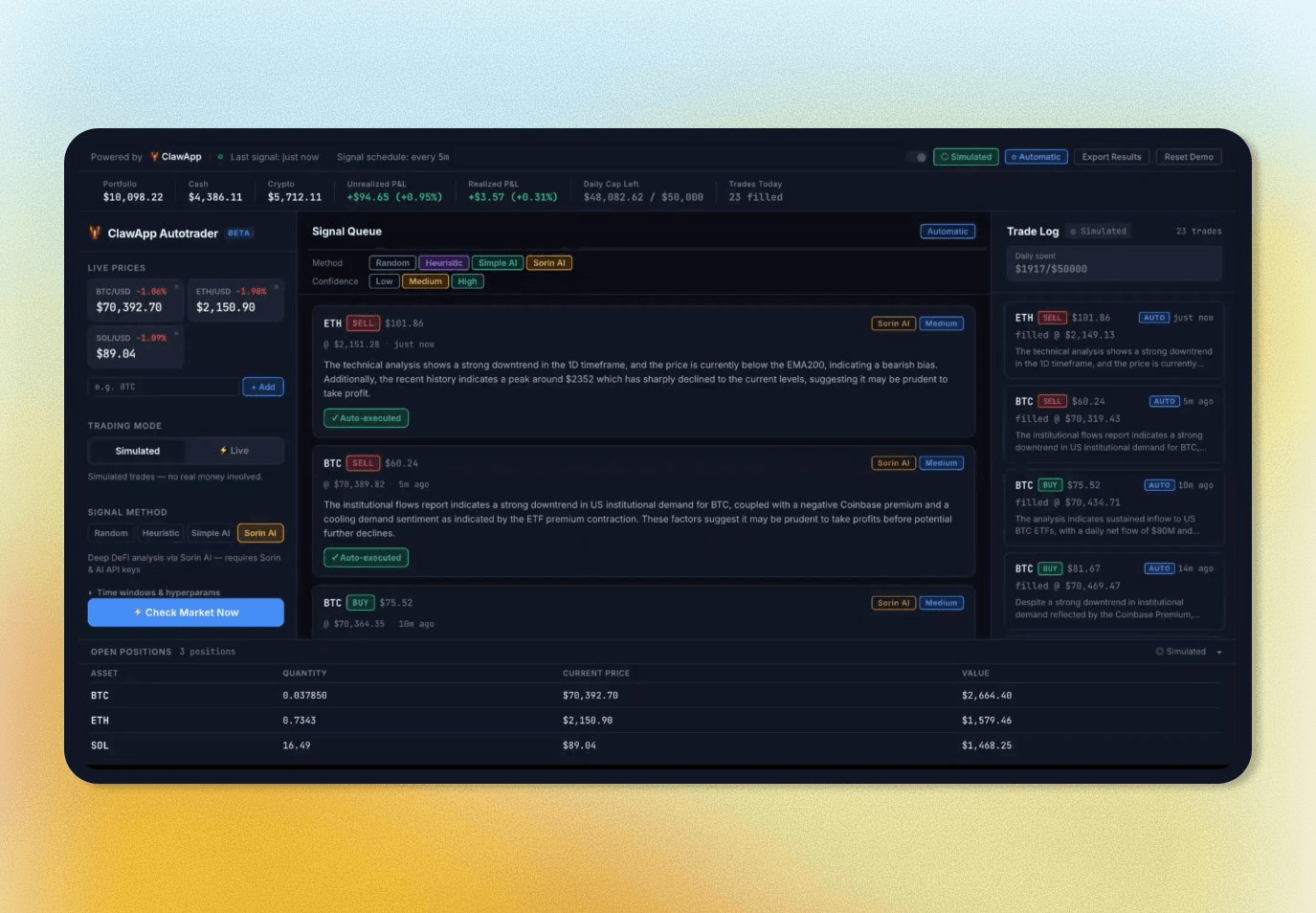
AI is changing that. Building a capable, customizable trading agent is now within reach for anyone willing to think carefully about their own strategy. This is a walkthrough of an open-source trading agent and dashboard built by a Sahara AI Researcher Aaron Chan that anyone can deploy and customize today. It monitors markets, generates signals, enforces guardrails you define, and runs autonomously so you can go do something else while it trades for you. Paper trading is built in so you can test strategies before putting real money behind them.

Here's how to build it.

Note: This is not a financial product. Nothing here is financial advice. Crypto trading carries real risk, and autonomous execution adds complexity. Use this at your own risk, start in paper mode, and never deploy real capital you aren't prepared to lose.

Github: https://github.com/SaharaaQuestLab/sorin-clawapp-autotrading-demo

Step 1: Understand What This Trading Agent Actually Does

Before touching any code, it’s important to understand how the system works at a high level.

A trading agent has three jobs: watch the market, decide whether to buy or sell, and execute the trade. The first and third are easy. Public exchange APIs from Coinbase and Binance expose real-time prices and historical candle data for free, no key required. For this demo, we’ve used Coinbase's Advanced Trade API to place market orders programmatically with a function call, but this could easily be swapped out with the CEX of your choice with a few small tweaks.

The harder problem is signal generation. How does the agent decide what to do? That's where your choices as a builder actually matter, and the app gives you four distinct approaches to work with.

On top of signal generation sits a guardrail layer that checks every signal before anything executes. And on top of that sits an automated system that runs the whole pipeline on a cadence you define, without requiring you to constantly monitor it. That’s it.

Step 2: Clone the Repo and Get the Dashboard Running

Aaron built this entire app using ClawApp, Sahara AI's local-first AI development tool that makes building with OpenClaw agents faster and easier. The dashboard, the trader script, the guardrail logic, and the scheduling integration was built and refined using ClawApp. If you want to customize any part of this further, whether that's adding a new signal method, integrating a different exchange, or modifying the UI, ClawApp or any AI coding tool of your choice gives you a practical starting point for doing that without starting from scratch.

All you have to do is clone the repo to get a working foundation to connect, configure, and run your own agent today.

1. Clone the repo:

git clone 
https://github.com/SaharaaQuestLab/sorin-clawapp-autotrading-demo
git clone 
https://github.com/SaharaaQuestLab/sorin-clawapp-autotrading-demo
git clone 
https://github.com/SaharaaQuestLab/sorin-clawapp-autotrading-demo
git clone 
https://github.com/SaharaaQuestLab/sorin-clawapp-autotrading-demo

2. Navigate into the demo folder. This is where the dashboard, server, and all the trading logic lives:

cd sorin-clawapp-autotrading-demo

3. Start the server:

python3 server.py
# or on a custom port:
python3 server.py --port 9090
python3 server.py
# or on a custom port:
python3 server.py --port 9090
python3 server.py
# or on a custom port:
python3 server.py --port 9090
python3 server.py
# or on a custom port:
python3 server.py --port 9090

4. Open your browser and go to http://localhost:8080

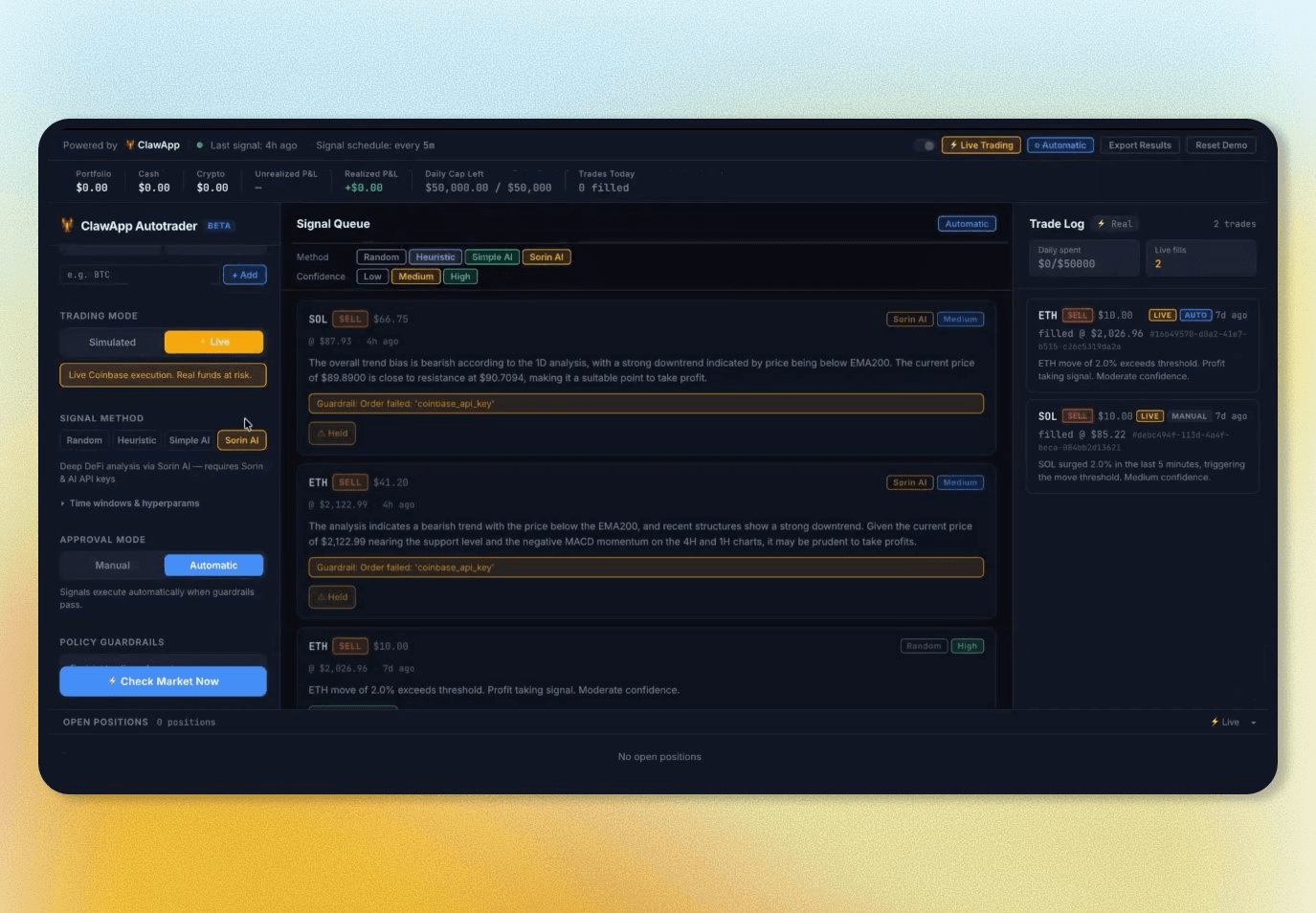
That's your dashboard. From here you control everything: which signal method the agent uses, which tokens it's allowed to trade, how much it can spend per trade and per day, whether it requires your approval before executing, and whether it's running in paper or live mode. All settings are saved to policy.json immediately and picked up on the next signal run.

For the Random or Heuristic signal methods, no additional dependencies are needed to get started. For AI or Sorin methods, you'll add API keys to secrets.json and install the relevant libraries, covered in the steps below.

When you're done, press Ctrl+C in your terminal to stop the server.

Step 3: Choose Your Signal Method

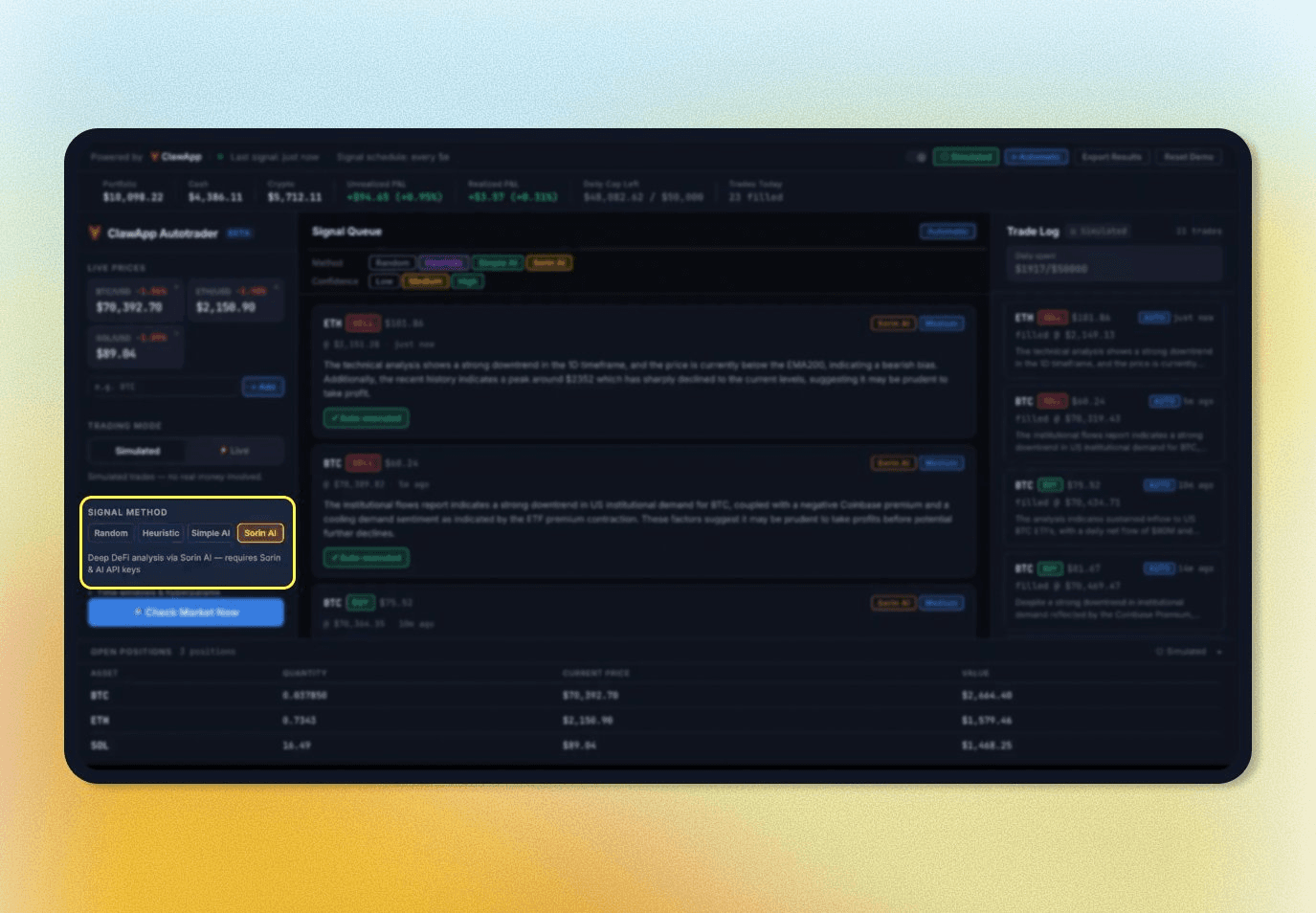
Signal generation is where the meaningful architectural choices happen. Start simple and move up as you get comfortable.

  • Random is only for testing the plumbing. It generates a buy or sell signal with a fabricated move size, assigns confidence based on that size, and lets you verify that the approval flow, guardrail checks, and trade log all work before connecting real logic.

  • Heuristic fetches recent price candles from Coinbase's public API and applies two classic indicators: RSI and short-term momentum. RSI below 35 with negative momentum signals BUY at High confidence. RSI above 65 with strong positive momentum signals SELL at High confidence. Confidence scales down as the indicators diverge. No API key, no model, and every signal traces back to specific numbers. This is the right starting point for understanding what the system is doing before adding AI interpretation.

  • AI takes the same candle data and RSI calculation, sends it to a language model, and asks for a structured signal with direction, confidence, and reasoning in plain language. The model has to justify its call, which surfaces things a rules-based system can miss, like a technically positive momentum reading that's been narrowing across recent candles in a way that suggests reversal. Works with Anthropic's Claude or OpenAI's GPT-4o. Add the key to secrets.json, install the library, and the signal method selector in the dashboard handles the rest. The model only ever sees market data.

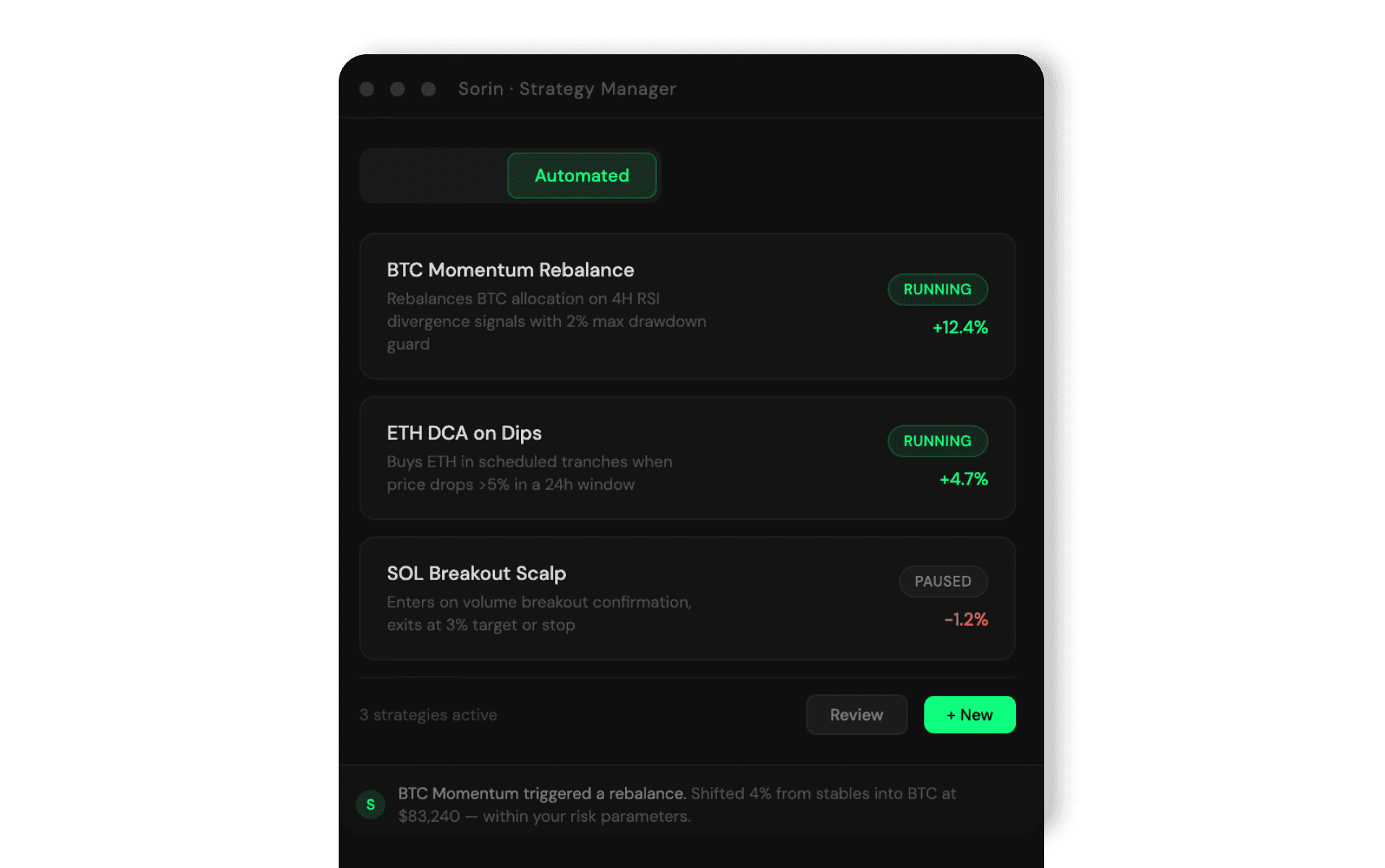
  • Sorin is the most advanced signal method and the one that tends to produce the most useful signals in practice. Rather than computing a handful of indicators from raw price data yourself, it taps into Sorin's SKILL.md and API to pull a comprehensive market analysis covering multiple indicators across four timeframes simultaneously (daily, 4-hour, 1-hour, and 15-minute). That analysis is then passed to a language model to extract a single actionable trade signal. The result is something like: "SELL, medium confidence: momentum has stalled near resistance and the daily trend bias has turned bearish across multiple timeframes." More context, better signals. In practice, Sorin tends to dominate once you've run all four methods side by side for a session.

All four methods share the same time window and hyperparameter controls in the dashboard: candle interval, lookback count, RSI period, momentum window, and the number of candles sent to the AI. You can tune these and see the effect on the next signal immediately, no code changes required.

Step 4: Configure Your Guardrails

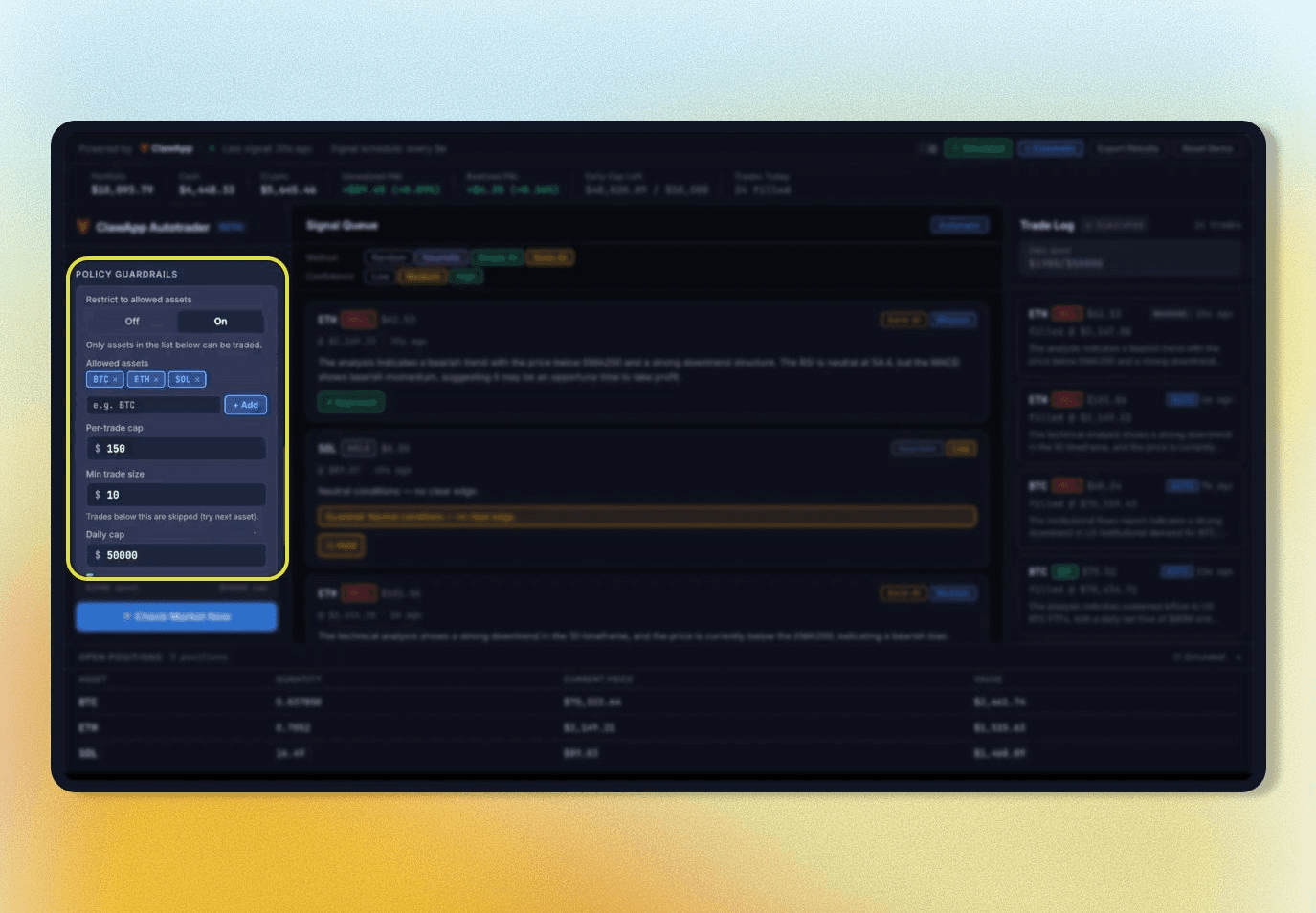
Every signal passes through four checks before anything executes.

  1. Is the asset on your allowed list? You define which tokens the agent can trade. Anything outside that list is blocked.

  2. Does the trade exceed your per-trade cap? You set this in dollars.

  3. Would this trade push your daily spend past the daily cap? The agent tracks cumulative spend for the current UTC day.

  4. Does the signal's confidence meet your minimum threshold? Set it to Medium and every Low-confidence signal is held automatically, even if everything else passes.

If any check fails in Policy mode, the signal is held rather than rejected. You can still see it and manually approve it if you want to override. The hold reason is always specific: "Held: daily cap reached ($98 of $100 spent)." Nothing is silent.

This guardrail layer is what you own as the builder that a copy-traded strategy can never give you. Don’t just inherit someone else's risk tolerance; encode your own.

Step 5: Test Your Strategy in Paper Mode Before Committing Real Money

Before connecting a live exchange account, run the agent in Simulated (paper trading) mode. It simulates a portfolio with whatever starting cash and crypto allocation you set, generates signals using your chosen method, enforces all the same guardrails, fills trades at the current market price, and tracks P&L in real time. No actual orders go anywhere.

This is where you can experiment with your strategy without consequences. Want to test whether the heuristic method performs better on 15-minute candles than 5-minute ones? Change the interval and run it. Want to see how tightening the confidence threshold affects trade frequency? Adjust it and watch the next session. Want to compare Sorin signals against pure AI signals during a volatile morning? Run both.

Simulated paper data and real data are stored in separate files and never mix. You can run both simultaneously to compare behavior directly.

The right bar for moving to live trading is practical. You should be able to explain why the agent generated each major signal during your paper run. If you can't, the system isn't calibrated well enough to run unsupervised with real money yet.

Step 6: Run in Manual Approval Mode Before Switching to Policy Mode

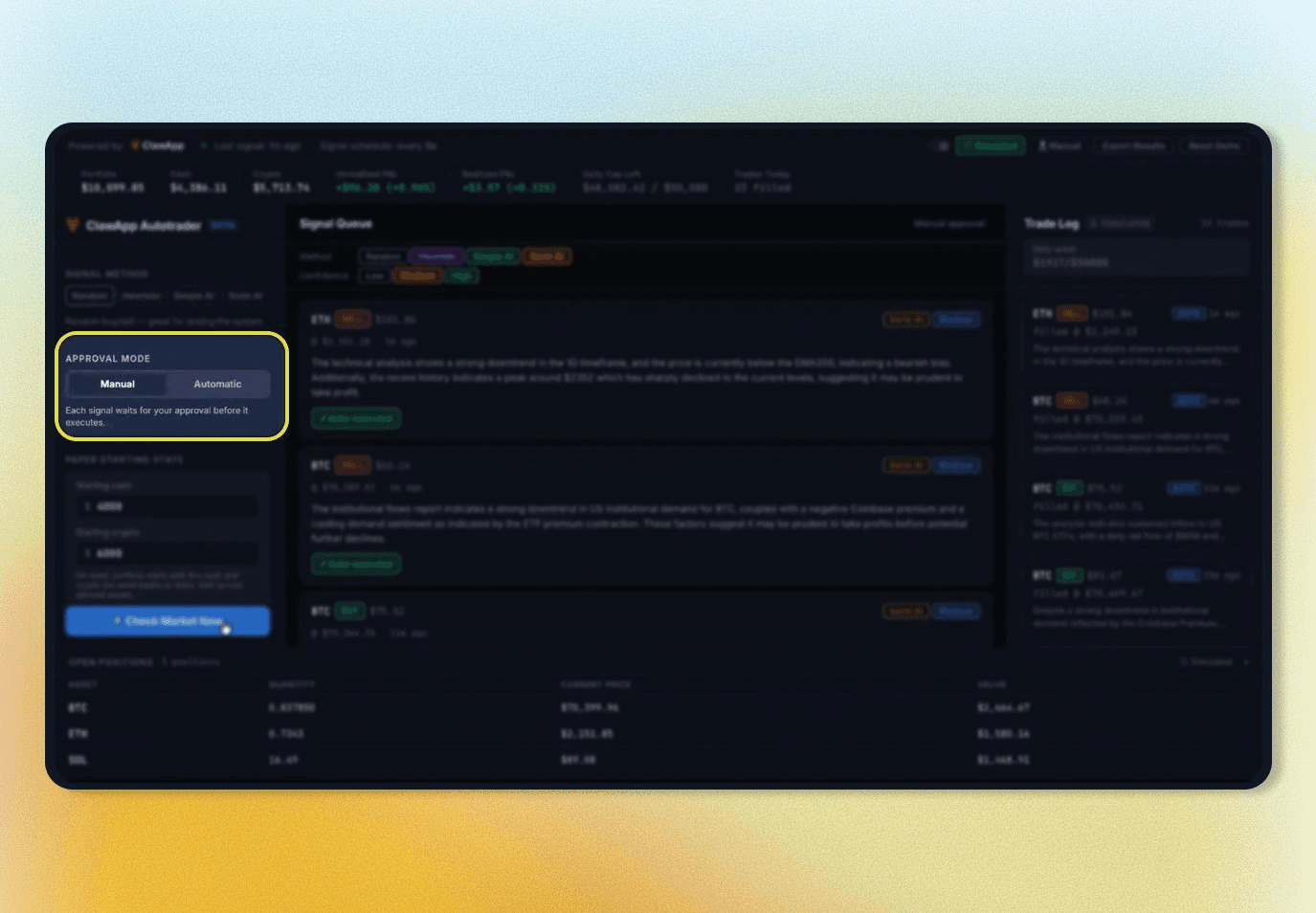
The app has two approval modes. Manual mode requires a human to approve or dismiss each signal before anything executes. Policy mode checks each signal against your guardrails and auto-executes anything that passes.

Start in Manual mode, even during paper trading. The goal isn't to make trades, it's to calibrate. Do the signals make sense given what the market is doing? Does the reasoning hold up? Is the agent proposing trades you would actually consider making yourself?

If something looks wrong, the problem is almost always in the signal configuration. Everything is tunable from the dashboard without touching code. Adjust, trigger another signal with the Check Market Now button, and see the effect immediately.

Once you've reviewed enough signals to trust the logic, switch to Policy mode. From that point, the agent runs completely autonomously.

Step 7: Go Live With a Narrowly Scoped API Key

Once you've tested your strategy in Simulated mode and you're comfortable with how the agent is behaving, you can switch to Live mode to start executing actual trades.

This demo is built on Coinbase's Advanced Trade API, but since the app is open source, the execution layer can be swapped out for whichever exchange you prefer. If you want to connect a different exchange, the trader script is where that integration lives.

To get started with Coinbase, create an API key on the Coinbase Developer Platform using the Ed25519 algorithm. Enable View and Trade permissions and leave Transfer disabled. This means the agent can buy and sell but cannot move funds out of your account under any circumstance.

When a trade executes in Live mode, the Coinbase order ID appears in the trade log and the portfolio view switches to your actual account balance. Unrealized P&L isn't shown because Coinbase's API doesn't provide cost basis, but realized P&L is tracked from trade fills.

Our Setup:

  1. Create a Coinbase API key on the CDP portal with View + Trade permissions only

  2. Copy the id field (UUID) and privateKey field (raw base64) from the downloaded JSON into secrets.json

  3. pip install pyjwt cryptography

  4. Toggle execution to Real in the dashboard. An amber badge appears in the topbar as a live reminder.

Keep the per-trade cap at $10 - $20 while you learn how the system behaves under real market conditions. The guardrails you configured in paper mode carry over exactly. Never commit secrets.json.

Step 8: Let Your Agent Run Autonomously

The dashboard's Check Market Now button is useful for testing, but it's not what makes this an autonomous agent. The real value kicks in when the agent is running on its own, making decisions and executing trades without you being involved at all.

This is where ClawApp (or whichever agentic system you prefer) comes in. Load the Autotrader skill into ClawApp, set your check interval, and your agent runs continuously in the background monitoring the market, generating signals, checking them against your guardrails, and executing trades, all without a browser open or a click required. When you open the dashboard later, everything the agent did while you were away is already there. That includes every signal generated, every trade executed, every guardrail that fired and why.

If you're using a different agent runtime, the trader script can be triggered the same way via any scheduler or automation tool you prefer. ClawApp just makes it easy to manage out of the box.

Aaron ran exactly this setup on a simulated $10,000 portfolio and came back an hour later to find the agent had generated a sell signal on ETH, cleared all four guardrail checks, filled the trade automatically, and closed the session up $100.

What to Customize From Here

Because the app is open source, every layer is available to modify. Signal methods, guardrail logic, the dashboard UI, and the execution layer are all distinct components. Adding a new signal method doesn't touch the guardrail logic. Integrating a different exchange doesn't require changes to how signals are generated. When something needs to change, you know exactly where to go.

The signal layer is the most obvious place to extend. The four methods shipped with the app cover a wide range, but you might want to incorporate on-chain data, sentiment signals, or a custom indicator that reflects your own thesis. ClawApp makes iterating on any of this faster, but the codebase is clean enough to work with using any AI coding tool you prefer.

What makes the Sorin signal method distinct as a starting point is the data layer underneath it. The multi-timeframe analysis produces before a language model ever touches it is the kind of structured market intelligence that used to require a dedicated quant team or an expensive data subscription. Making it available as a single API call is part of what makes it possible to go from zero to a running, personalized trading agent without a quant background or a copy-trading dependency.

Check out the Sorin agent skill and API here: https://tools.saharaai.com/sorin-skills/

Building something with this? Tag @SaharaAI and @HeySorinAI. We want to see what people are deploying and what customizations they're making!

Full demo and walkthrough:

About Sahara AI: Sahara AI is the agentic AI company dedicated to making AI more accessible and equitable. We build the core protocols, infrastructure, and applications that let personal agents anticipate and execute on your behalf. For this to work, infrastructure has to be trustworthy: verifiable execution, enforceable usage policies, and automatic value distribution across every tool, model, and service an agent touches. Sahara is building a growing suite of agent-powered applications on top of this foundation, including Sorin, your personal agent for global digital markets. Our solutions currently power AI agents and high-quality data for consumers, Fortune 500 enterprises, and leading research labs, including Microsoft, Amazon, MIT, Motherson, and Snap.